Overview:
This article explains how to log in to the Xemelgo app on iOS and Android devices, including first-time login procedures, password reset, and account creation by admins.
How to Login:
- To begin using the Xemelgo app, follow these steps to download the app on your device:
- For iOS: Download the Xemelgo App from the Apple App Store on your iPhone or iPad.
- For Android: Download the Xemelgo App from the Google Play Store on your Android device.
- Once the installation is complete, launch the Xemelgo app. You will be directed to the login page, which is displayed as shown in the following picture.
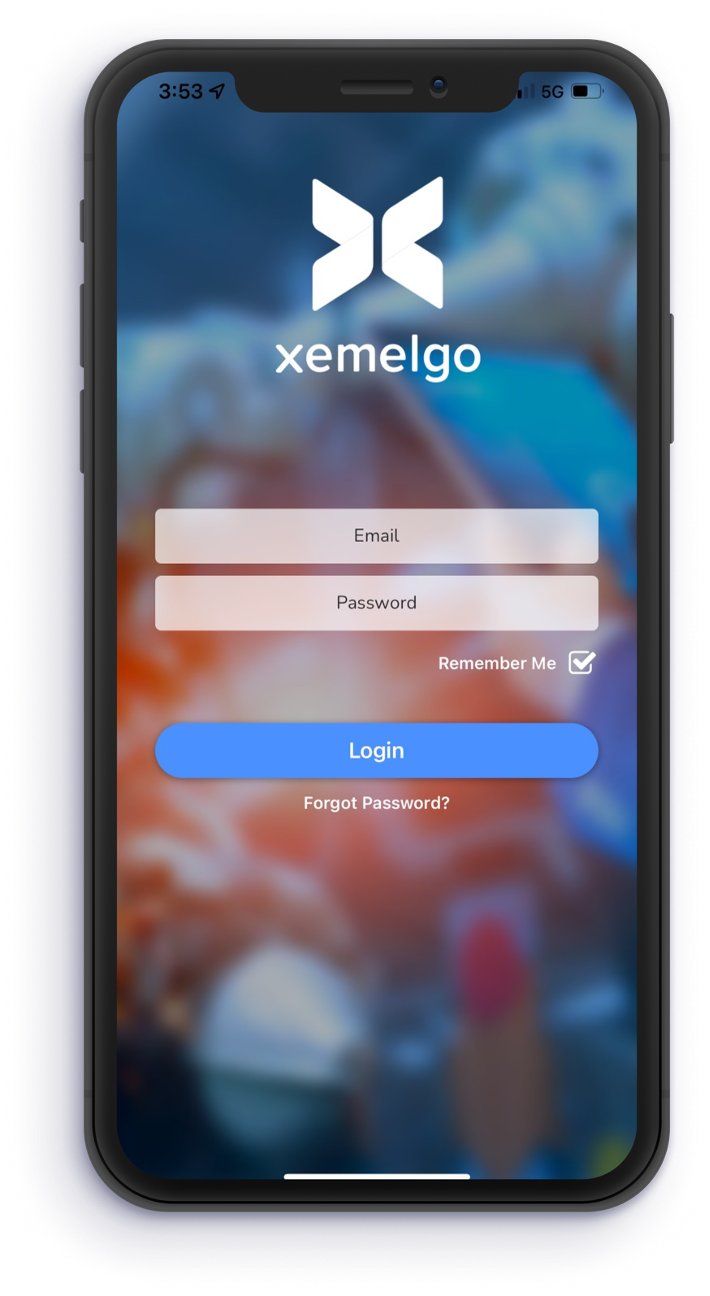
- To access your Xemelgo account, follow these steps:
- Enter your registered Email in the provided field on the login page.
- Next, enter the Password associated with your Xemelgo account.
- Once you have entered your credentials, tap on the Login button to proceed.
Note: Only the app icons for the apps that you have subscribed to will be visible on the app's user interface
First Time Login:
- Admins can create user accounts for others.
- Users will be sent a one-time password to their email address.
- Users will be asked to change their password after the first time they log in.
- Once they reset their password, users can go ahead and log in.
Forgot Password:
If at any time users forget their password, they can tap Forgot Password? to reset their password.
Was this article helpful?
That’s Great!
Thank you for your feedback
Sorry! We couldn't be helpful
Thank you for your feedback
Feedback sent
We appreciate your effort and will try to fix the article